Gerenciador e Visualizador Web de Arquivos
Deploy em Docker
Gerenciador e Visualizador Web de Arquivos
Já precisou disponibilizar arquivos com acesso web e que fosse gerenciado por alguma aplicação web?
Gerenciador
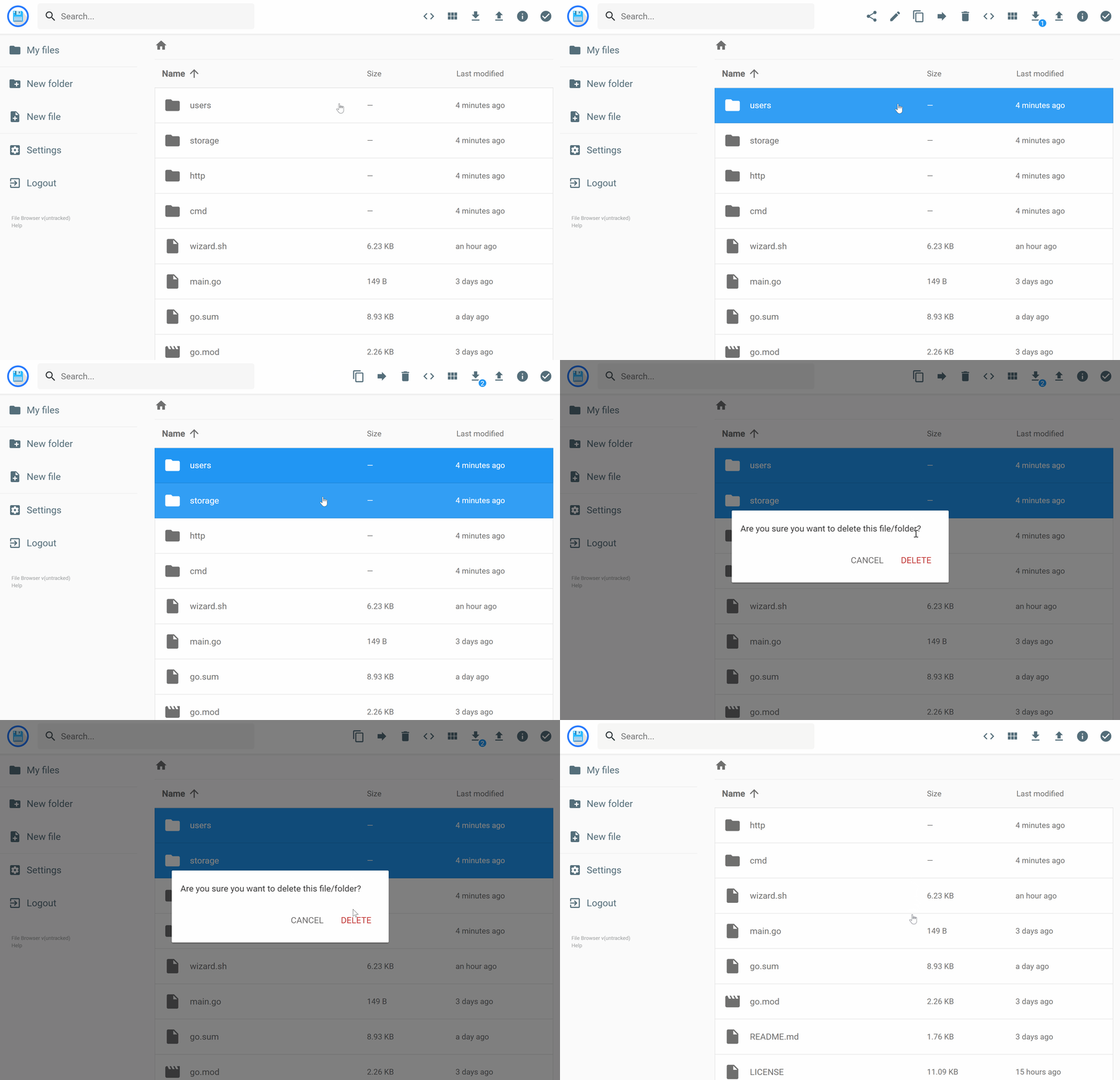
O 📂 File Browser (https://filebrowser.org/) oferece uma interface de gerenciamento de arquivos dentro de um diretório especificado, permitindo o upload, exclusão, visualização e edição de arquivos. É um software do tipo "crie sua própria nuvem", onde você simplesmente o instala em seu servidor, define o caminho desejado e acessa seus arquivos por meio de uma interface web intuitiva.
Visualizador
É um Apache (https://httpd.apache.org/) com acesso anônimo e permissão de visualizar os arquivos/diretórios utilizando mod_autoindex
TL;DR - Em Docker

Crie o diretório onde ficarão os containers
mkdir filebrowser
cd filebrowser
Crie o docker-compose.ytml
cat << '_EOF' > docker-compose.yml
services:

  filebrowser:
    image: 'filebrowser/filebrowser:s6'
    restart: unless-stopped
    ports:
      - '9081:80'
    environment:
      - PUID=33
      - PGID=33
      - TZ=America/Campo_Grande
    volumes:
      - ./srv:/srv
      - ./database:/database
      - ./config:/config

  apache-autoindex-strapdown:
    image: 'httpd:latest'
    restart: unless-stopped
    ports:
      - '9082:80'
    environment:
      - TZ=America/Campo_Grande
    volumes:
      - ./httpd.conf:/usr/local/apache2/conf/httpd.conf
      - ./srv/pub/:/usr/local/apache2/htdocs
    depends_on:
      - filebrowser
_EOF
Criar os diretórios onde os arquivos serão persistidos
mkdir -p {config,database,srv/pub}
Crie o arquivo httpd.conf utilizado
cat << '_EOF' > httpd.conf
ServerRoot "/usr/local/apache2"
Listen 80
LoadModule mpm_event_module modules/mod_mpm_event.so
LoadModule authn_file_module modules/mod_authn_file.so
LoadModule authn_core_module modules/mod_authn_core.so
LoadModule authz_host_module modules/mod_authz_host.so
LoadModule authz_groupfile_module modules/mod_authz_groupfile.so
LoadModule authz_user_module modules/mod_authz_user.so
LoadModule authz_core_module modules/mod_authz_core.so
LoadModule access_compat_module modules/mod_access_compat.so
LoadModule auth_basic_module modules/mod_auth_basic.so
LoadModule reqtimeout_module modules/mod_reqtimeout.so
LoadModule filter_module modules/mod_filter.so
LoadModule mime_module modules/mod_mime.so
LoadModule log_config_module modules/mod_log_config.so
LoadModule env_module modules/mod_env.so
LoadModule headers_module modules/mod_headers.so
LoadModule setenvif_module modules/mod_setenvif.so
LoadModule version_module modules/mod_version.so
LoadModule unixd_module modules/mod_unixd.so
LoadModule status_module modules/mod_status.so
LoadModule autoindex_module modules/mod_autoindex.so
<IfModule !mpm_prefork_module>
</IfModule>
<IfModule mpm_prefork_module>
</IfModule>
LoadModule dir_module modules/mod_dir.so
LoadModule alias_module modules/mod_alias.so
<IfModule unixd_module>
User www-data
Group www-data
</IfModule>
ServerAdmin you@example.com
<Directory />
    AllowOverride none
    Require all denied
</Directory>
DocumentRoot "/usr/local/apache2/htdocs"
<Directory "/usr/local/apache2/htdocs">
    Options Indexes FollowSymLinks
    AllowOverride All
    Require all granted
</Directory>
<IfModule dir_module>
    DirectoryIndex index.html
</IfModule>
<Files ".ht*">
    Require all denied
</Files>
ErrorLog /proc/self/fd/2
LogLevel warn
<IfModule log_config_module>
    LogFormat "%h %l %u %t \"%r\" %>s %b \"%{Referer}i\" \"%{User-Agent}i\"" combined
    LogFormat "%h %l %u %t \"%r\" %>s %b" common
    <IfModule logio_module>
      LogFormat "%h %l %u %t \"%r\" %>s %b \"%{Referer}i\" \"%{User-Agent}i\" %I %O" combinedio
    </IfModule>
    CustomLog /proc/self/fd/1 common
</IfModule>
<IfModule alias_module>
    ScriptAlias /cgi-bin/ "/usr/local/apache2/cgi-bin/"
</IfModule>
<IfModule cgid_module>
</IfModule>
<Directory "/usr/local/apache2/cgi-bin">
    AllowOverride None
    Options None
    Require all granted
</Directory>
<IfModule headers_module>
    RequestHeader unset Proxy early
</IfModule>
<IfModule mime_module>
    TypesConfig conf/mime.types
    AddType application/x-compress .Z
    AddType application/x-gzip .gz .tgz
</IfModule>
<IfModule proxy_html_module>
Include conf/extra/proxy-html.conf
</IfModule>
<IfModule ssl_module>
SSLRandomSeed startup builtin
SSLRandomSeed connect builtin
</IfModule>
_EOF
Entra no diretório srv/pub
cd srv/pub
Cria arquivo .htaccess
cat << '_EOF' > .htaccess
# Apache Autoindex Directives
Options +Indexes
IndexOptions FancyIndexing HTMLTable SuppressRules
IndexOptions IconsAreLinks ScanHTMLTitles NameWidth=* DescriptionWidth=*

# Set Default Encoding to UTF-8
IndexOptions +Charset=UTF-8

# Autoindex-Strapdown Directives
AddType text/plain .md
HeaderName HEADER.md
ReadmeName FOOTER.md

# Customize by setting theme and title
IndexHeadInsert "<script>conf = {theme: 'united', title: 'URL Publica'};</script> \
<script src='https://ais.habilis.net/autoindex_strapdown.js'></script> \
<link rel='stylesheet' href='https://ais.habilis.net/autoindex_strapdown.css'>"

# IndexIgnore is a set of filenames which directory indexing should ignore
IndexIgnore .??* *~ *# HEADER* README* FOOTER* RCS CVS *,v *,t

# Icons using Bootstrap's Glyphicon set
DefaultIcon https://ais.habilis.net/icons/glyphicon-file.svg
AddIcon https://ais.habilis.net/icons/blank.svg ^^BLANKICON^^
AddIcon https://ais.habilis.net/icons/glyphicon-folder-open.svg ^^DIRECTORY^^
AddIcon https://ais.habilis.net/icons/glyphicon-circle-arrow-up.svg ..
AddIconByType (TXT,https://ais.habilis.net/icons/glyphicon-file.svg) text/*
AddIconByType (IMG,https://ais.habilis.net/icons/glyphicon-picture.svg) image/*
AddIconByType (SND,https://ais.habilis.net/icons/glyphicon-music.svg) audio/*
AddIconByType (VID,https://ais.habilis.net/icons/glyphicon-film.svg) video/*
_EOF
The HeaderName directive specifies the name of the file whose content will be inserted at the very beginning of the index listing.
The ReadmeName directive sets the name of the file whose content will be appended to the end of the index listing, typically serving as a footer.
For more technical details, consult the official Apache HTTP Server documentation for mod_autoindex at https://httpd.apache.org/docs/current/mod/mod_autoindex.html
Adicione um HEADER e um FOOTER (conteúdo markdown)
cat << '_EOF' > HEADER.md
# Título do Projeto
Uma breve descrição sobre o que esse projeto faz e para quem ele é
_EOF
cat << '_EOF' > FOOTER.md
## 🚀 Sobre mim
Eu sou um desenvolvedor full-stack...
---

_EOF
Retorna ao diretório raiz da imagem
cd ../..
Ajusta as permissões do usuário/grupo www-data (id 33 na imagem oficial do apache)
sudo chown -R 33:33 config/ database/ srv/
Estrutura de arquivos e diretórios finalmente criada
├── config
├── database
├── docker-compose.yml
├── httpd.conf
└── srv
    └── pub
        ├── FOOTER.md
        ├── HEADER.md
        └── .htaccess
Agora suba a stack
docker compose up -d
Observe os logs (a senha inicial do usuário admin do filebrowser será mostrada)
docker compose logs filebrowser -f
Exemplo dos logs do filebrowser
filebrowser-1  | [custom-init] No custom services found, skipping...
filebrowser-1  | [migrations] started
filebrowser-1  | [migrations] no migrations found
filebrowser-1  | ───────────────────────────────────────
filebrowser-1  |   _____ __ __ _____ _____ _____ _____
filebrowser-1  |  |     |  |  |   __|_   _|     |     |
filebrowser-1  |  |   --|  |  |__   | | | |  |  | | | |
filebrowser-1  |  |_____|_____|_____| |_| |_____|_|_|_|
filebrowser-1  |        _____ __ __ _ __    ____
filebrowser-1  |       | __  |  |  | |  |  |    \
filebrowser-1  |       | __ -|  |  | |  |__|  |  |
filebrowser-1  |       |_____|_____|_|_____|____/
filebrowser-1  |
filebrowser-1  |   Based on images from linuxserver.io
filebrowser-1  | ───────────────────────────────────────
filebrowser-1  |
filebrowser-1  | To support LSIO projects visit:
filebrowser-1  | https://www.linuxserver.io/donate/
filebrowser-1  |
filebrowser-1  | ───────────────────────────────────────
filebrowser-1  | GID/UID
filebrowser-1  | ───────────────────────────────────────
filebrowser-1  |
filebrowser-1  | User UID:    33
filebrowser-1  | User GID:    33
filebrowser-1  | ───────────────────────────────────────
filebrowser-1  | [custom-init] Files found, executing
filebrowser-1  | [custom-init] 20-config: executing...
filebrowser-1  | [custom-init] 20-config: exited 0
filebrowser-1  | [ls.io-init] done.
filebrowser-1  | 2026/01/24 12:48:42 Using config file: /config/settings.json
filebrowser-1  | 2026/01/24 12:48:42 WARNING: filebrowser.db can't be found. Initialing in /database/
filebrowser-1  | 2026/01/24 12:48:42 Using database: /database/filebrowser.db
filebrowser-1  | 2026/01/24 12:48:42 Performing quick setup
filebrowser-1  | 2026/01/24 12:48:42 User 'admin' initialized with randomly generated password: sv7NMW1TzL5ZWV53
filebrowser-1  | 2026/01/24 12:48:42 Listening on [::]:80
Acessando as aplicações web
- Faça login no Gerenciador ( http://localhost:9081 )e dentro do diretório pub adicione alguns arquivos, imagens, etc.
- Visualize esses arquivos no Visualizador ( http://localhost:9082 )
Exemplo de uso
Os arquivos que foram adicionados pelo Gerenciador podem ser acessados com a URL do Visualizador.
- Nas minha infraestrutura tenho o arquivo ansible-for-devops.pdf que pode ser acessado por https://public.tiozaodolinux.com/pdf/ansible-for-devops.pdf ou até mesmo ser embedded utilizando IFRAME conforme abaixo:
<iframe src="https://public.tiozaodolinux.com/pdf/ansible-for-devops.pdf" width="100%" height="600"></iframe>
Iframe em ação
Referências
- O 📂 File Browser - https://filebrowser.org/
- Utilizamos o Autoindex-Strapdown no apache - https://ais.habilis.net/
- Markdown de um jeito simples - https://readme.so/pt